Multi-instance vs Single Instance
There are two confirguation options for Nero GCP projects, review the chart below to identify which option is best for your project.
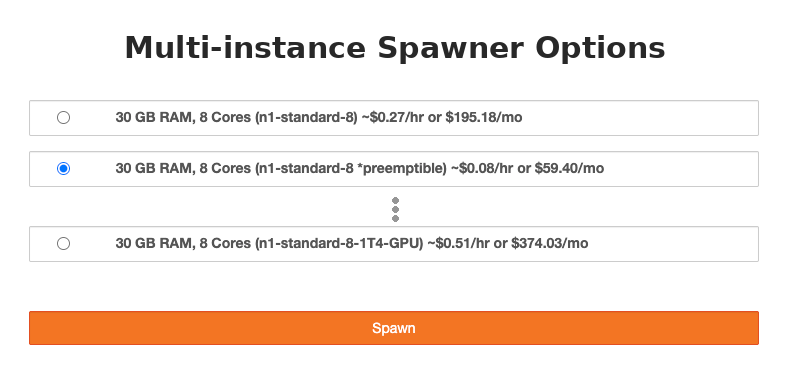 |
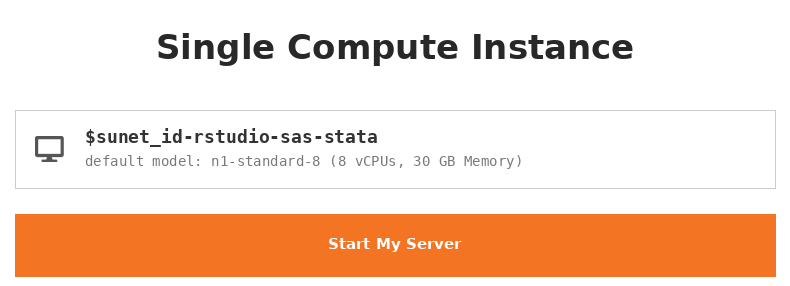 |
|
|---|---|---|
|
Overview |
Kubernetes deployment with shared Jupyter access and storage for the whole team. |
Each compute user gets a dedicated instance. |
|
Ideal For |
|
|
|
Cost |
~$300/month fixed cost to run the cluster 24/7, plus usage-based compute charges |
Billed only for actual compute usage and minimal persistent disk costs |
|
Auto shutdown |
Inactive sessions stop automatically |
No automatic stop — users must remember to shut down manually |
|
Access |
One shared web address with a spawn menu to launch different instance sizes |
Individual instance per user — access via gcloud SSH with web interactivity (with SSH and port forwarding) |
|
Software |
JupyterLab 3.2.8, RStudio 4.4.2, SAS 9.4 |
JupyterLab 1.2.16, RStudio 4.4.3, SAS 9.4, Stata/SE 16.1 |
|
Storage |
Shared PI directory (/share/pi/$sunet-PI) for team files, plus GCS bucket access |
100GB boot + 100GB /home/jupyter per instance; plus GCS bucket access |
If you have additional questions email us at srcc-support@stanford.edu(link sends email) or sign up for office hours.